Workflows
Workflows connect triggers to actions, with optional conditions to control when automation runs. They handle the core of user lifecycle management, from onboarding to offboarding.
Important: Workflows are only triggered by Adcyma's user management actions: creating new users, editing existing users, or removing users (including via API). If no conditions are specified, the workflow will run for all users matching the trigger.
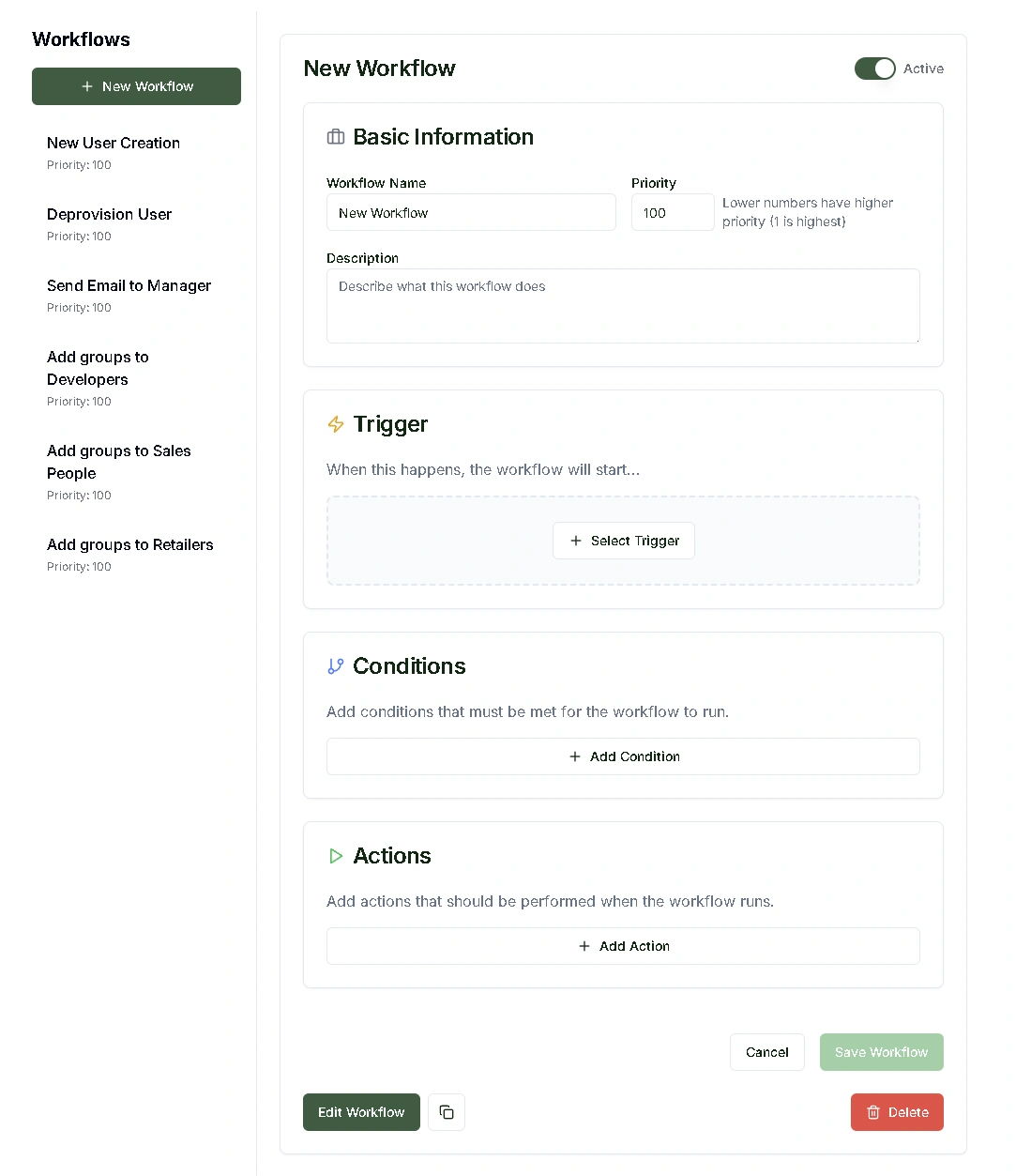
Workflow Components
Every workflow has a few key parts:
Basic Settings
Workflow Name
- Descriptive identifier for your workflow
- Does not need to be unique, but should clearly indicate the workflow's purpose
Priority
- Determines execution order when multiple workflows match the same trigger and conditions
- Lower numbers = higher priority (1 is highest priority)
- Controls which workflow runs first in overlapping scenarios
Description
- Optional field for detailed workflow documentation
- Helps team members understand the workflow's purpose and logic
Workflow Management
Active/Inactive
- You can deactivate workflows without deleting them
- Useful for testing, maintenance, or seasonal processes
- Inactive workflows keep all their configuration but won't execute
Duplicate
- Copy an existing workflow to create a similar one with modifications
- Handy for creating department-specific variations of a common process
Automation Logic
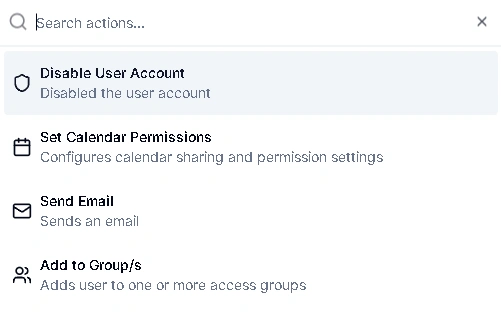
The trigger defines which user management event starts the workflow (user created, modified, or removed).
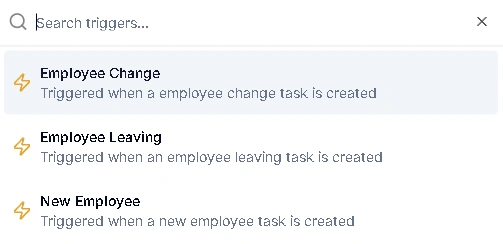
The condition is an optional filter based on user attributes. If no conditions are set, the workflow applies to all users matching the trigger. Examples: users in specific departments, managers only, users reporting to certain supervisors.
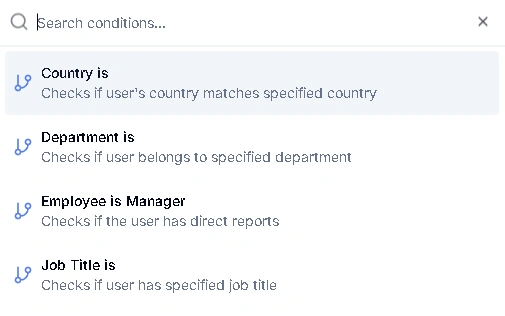
The action is what the workflow actually does when trigger and conditions are met. You can chain multiple actions in sequence. Examples: assign role templates, send emails, enable accounts, update user attributes.
Each action can have an optional delay. Set a delay value and unit (hours, days, or weeks) to schedule the action to run after a waiting period instead of immediately.
You can also view a flowchart of your workflow to see the full logic visually, which is handy for reviewing complex workflows at a glance.
Example Workflow Scenarios
New Employee Onboarding
- Trigger: User Created
- Condition: Department = "Sales"
- Actions: Assign sales role template, send welcome email, enable account
Manager Promotion
- Trigger: User Modified
- Condition: Job Title contains "Manager"
- Actions: Add to management groups, send notification to IT, update permissions
Department Transfer
- Trigger: User Modified
- Condition: Department changed
- Actions: Remove old department access, assign new department role, notify managers
How Workflows Execute
- Someone creates, edits, or removes a user in Adcyma (or via API)
- The system checks which workflows match the event type
- If conditions exist, it verifies the user meets the criteria
- Multiple matching workflows run in priority order (lowest number first)
- Each workflow performs its defined actions
Best Practices
- Make workflow names obvious so your team can tell what each one does at a glance.
- Set priorities so that critical workflows run before optional ones.
- Test conditions carefully. Remember that no conditions means "all users."
- Use the description field for workflows with multiple conditions.
- Review workflow results periodically to make sure they're working as expected.